As spring rolls in and the days get longer, operators know that the grueling summer heat is just around the corner. A functioning cab air conditioning system isn't a luxury—it's essential for safety and productivity. But what happens when you press the A/C button, and nothing happens? Often, the culprit isn't the compressor, but the "brain" of the system: the A/C Controller.
Before you sweat through another shift, try these quick troubleshooting fixes for your excavator's A/C control panel.
Why A/C Controller Troubleshooting Matters Before Summer
-
Uncomfortable cab temperatures, reducing operator productivity, and increasing fatigue.
-
Costly downtime while you diagnose and repair the issue—time that could be spent on critical projects.
-
Further damage to your A/C system (e.g., compressor failure) may occur if the controller issue is left unaddressed.
Common A/C Controller Issues & Quick Fixes You Can Try
Not every A/C controller problem requires a full replacement. Many issues can be resolved with simple checks and quick fixes—no advanced technical skills needed. Below are the most common A/C controller issues, step-by-step troubleshooting tips, and when to consider a replacement from SINOCMP.
1. A/C Controller Not Responding (No Power)
Quick Fixes:
- Check the power supply: Ensure that the unit is properly plugged in and the circuit breaker hasn’t tripped. A sudden power surge or outage could have caused the breaker to shut off.
- Inspect the batteries: If your A/C controller uses batteries, replace them with fresh ones. Dead batteries can cause the controller to malfunction, leaving you without cool air.
- Reset the system: Some A/C controllers have a reset button. Pressing this can help restart the system and clear any temporary glitches.
When to Replace: If the power supply and wiring are in good condition, but the controller still won’t respond, it’s likely a faulty controller. Look for visible signs of damage, such as burn marks, melted connectors, or corroded terminals—these indicate an internal failure.
2. Inaccurate Temperature Readings
Another common issue with A/C controllers is inaccurate temperature readings, leading to discomfort as your A/C runs inefficiently.
Quick Fixes:
- Calibrate the controller: Some A/C models allow you to recalibrate the temperature sensor. Check your user manual for specific instructions on how to recalibrate the system.
- Clear air sensor blockage: Dust, dirt, or debris can obstruct the temperature sensor, giving inaccurate readings. Clean the sensor gently with a soft cloth to ensure proper functionality.
- Check the thermostat placement: Ensure the thermostat is not placed in a location exposed to direct sunlight or near heat sources, as this can cause false readings.
Why It Happens: Dirty sensors, improper placement, or malfunctioning internal components are often to blame for inaccurate readings. Regular cleaning and calibration can help maintain your A/C’s accuracy.
3. A/C Controller Displays Error Code or Flashing Lights
Quick Fixes:
-
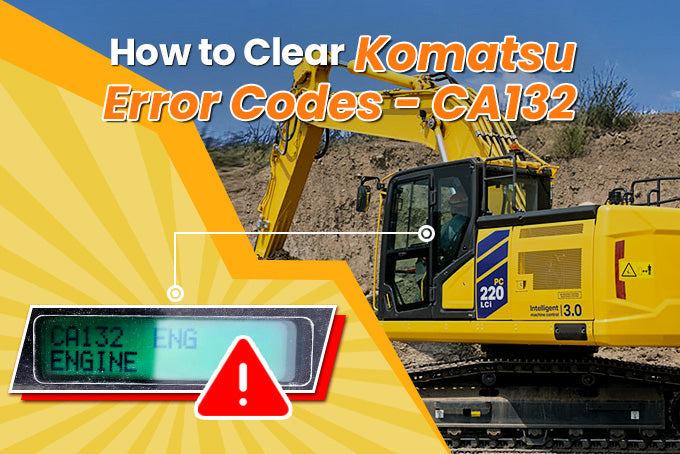
Check the Manual: Refer to your equipment’s service manual to decode the error code. Common codes include sensor open circuits (e.g., failure code 879 Aka for Komatsu PC200-8M0) or communication errors.
-
Inspect Sensors: If the error code points to a sensor issue (e.g., indoor air temperature sensor), check the sensor’s wiring for damage or disconnection. Clean the sensor to remove dust buildup, which can affect its accuracy.
- Reset the controller: Unplugging the unit for a few minutes and then plugging it back in can sometimes reset the electronics and resolve the issue.
Why It Happens: Electrical issues, including faulty wiring or blown fuses, are common culprits of a blank or flickering display. These problems are usually fixable with simple maintenance.
4. A/C Not Cooling Effectively
When the air conditioner is running but not cooling the space effectively, it could be a sign that the A/C controller is not regulating the system correctly.
Quick Fixes:
- Check the filters: Clogged or dirty air filters can restrict airflow and reduce cooling efficiency. Clean or replace the filters regularly to ensure optimal performance.
- Inspect the condenser: Ensure that the condenser unit is clean and free of debris. A dirty condenser can lead to reduced cooling power.
- Check the settings: Sometimes, the issue may be as simple as the controller being set incorrectly. Double-check your settings to ensure the temperature is properly adjusted.
Why It Happens: Poor air circulation and improper settings can prevent effective cooling. Regular maintenance and checking system settings can help prevent this issue.
5. A/C Controller Buttons Sticking or Not Working Properly
Quick Fixes:
- Clean the Controller Panel: Use a dry, soft cloth to wipe down the buttons and panel, removing dust and debris. For stubborn grime, use a small amount of isopropyl alcohol (avoid getting liquid inside the controller)
- Check for Physical Damage: Inspect the buttons for wear, cracks, or sticking. If a button is physically damaged, it may need to be replaced—but in many cases, cleaning is enough to restore functionality.
Beat the Summer Rush with SINOCMP
Don't wait until July to find out your cab A/C is broken. Replacing your A/C controller now ensures your machine is ready for the toughest summer projects. At SINOCMP, we provide premium, plug-and-play A/C controllers for all major brands, built to withstand extreme job site conditions.
- OEM-Level Performance: Stable climate control for maximum operator comfort.
- Fast Global Shipping: Get your parts quickly to minimize downtime.
-
Easy Online Ordering: Buying your A/C controller online is simple with sinocmp’s user-friendly platform. Browse our collection, filter by model or part number, and place your order in minutes. Visit our sinocmp A/C Controller page to find the perfect replacement today.

293-1136 2931136 Air Conditioner Controller for Caterpillar Excavator E320D E330D
4439093 4431080 146430-8272 Air Heater Controller for Hitachi ZX450 ZX450LC ZX600
Ready to Upgrade Your Cab Climate Control?
Search for your exact A/C controller part number on our site and ensure a cool, productive summer for your fleet.